Wanderburg Database
Browse equipment, characters, vehicles, and regions. Learn their roles and connect each choice to your next build.
Updated · Independent field guide21 entries
Front Barracks
An offensive module with an active ability. Hotfix 0.9.9 strengthened that ability and corrected its diminishing-damage upgrades.
modulesSide Ballista
A module whose automatic attack and active ability were adjusted in opposite directions: the automatic attack was weakened, while the active ability was strengthened.
modulesForce Mage
The active ability can cancel incoming projectiles, a behavior added in hotfix 0.9.9.
modulesElectric Mage
The top-mounted Electric Mage has a stun-capable active ability. Hotfix 0.9.10 corrected its ability to stun allied units.
modulesBack Turret
An offensive module affected by an attack-speed balance change. Hotfix 0.9.10 lowered its maximum attack-speed boost.
modulesSide Arm
Both automatic attacks and the active ability received stronger rarity-based damage scaling in hotfix 0.9.10.
modulesRam
A module with contact-oriented behavior. Hotfix 0.9.8 fixed inconsistent damage after earlier behavior and visual corrections.
modulesTop Mortar
A top-mounted module with a projectile-firing active ability. Its active projectile count was reduced in hotfix 0.9.6.
modulesFire Mage
A magic module associated with the Firestorm ability. The launch-day hotfix increased Firestorm damage.
captainsPatchyThePirate
A captain with an enemy-cannon damage drawback. Hotfix 0.9.10 reduced that drawback.
captainsKapitalstus Maximus
A captain with a gold-related tradeoff. Hotfix 0.9.10 reduced the gold penalty.
captainsHuntress
A captain whose extra ability-cooldown time was reduced in hotfix 0.9.10.
captainsTankbert
A captain with a Nitro-regeneration penalty. Hotfix 0.9.10 made that penalty less severe.
captainsDuelist
A captain whose boosting-related incoming-damage penalty was reduced in hotfix 0.9.10.
artifactsElectric Arrow
An artifact whose trigger reliability was improved in hotfix 0.9.10.
artifactsPhoenix Feather
An artifact with an interaction involving Valkyrie, updated in hotfix 0.9.9.
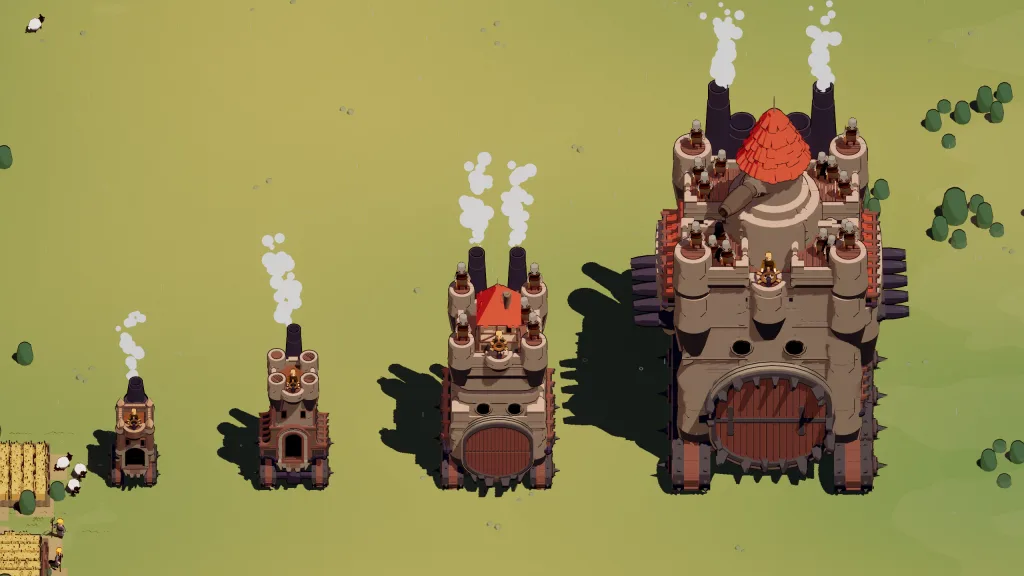
vehiclesTower
A player vehicle whose driving behavior was revised in hotfix 0.9.9, with faster movement at earlier or base levels.
vehiclesSpider
A player vehicle with faster earlier-level driving after hotfix 0.9.9, alongside reduced speed upgrades.
biomesGrassland
A region with multiple difficulty variants. Official notes name its second difficulty Meadows and adjust enemies and encounters across Grassland difficulties.
biomesDark Forest
A region whose second and third difficulty enemy compositions were changed to fewer, stronger enemies in hotfix 0.9.6.
biomesDesert
A biome with an overtime phase. Hotfix 0.9.8 revised Desert overtime and strengthened the Overtime Mortar.
Use the archive to answer a specific question
Browse modules, captains, artifacts, vehicles, and biomes to plan your next run. Search by name or narrow the category, then open an entry for its description and related gameplay advice.
Browse by category to find a name, then open its record for the version, known behavior, and related guidance. Search and sorting work across the published entries. An empty numerical field is deliberately hidden; it is not a claim that the value is zero.
The archive is designed for comparison, but comparison has limits. A note that an ability was strengthened establishes a direction of change.
Start with the noun in your question. If you want to understand an attack or an active ability, open Modules. If the issue follows your character selection across equipment choices, inspect Captains. If an additional effect appears to depend on a trigger, check Artifacts. This keeps a search for a particular rule from turning into a comparison between unrelated systems.
Vehicles and Biomes provide the context around equipment. Vehicle records concern a selectable player platform and handling changes.
For example, a search about Side Ballista belongs in Modules even if you think of it as a weapon. Follow the same underlying record from the weapon index. This lets you read the automatic and active changes together without wondering whether two pages describe different objects.
| Category | Use it for |
|---|---|
| Modules | Automatic attacks, active abilities, and documented equipment changes |
| Captains | Character-specific rules and known tradeoffs |
| Artifacts | Confirmed relic identities and documented interactions |
| Weapons | Finding offense through the module catalogue without duplicate entries |
| Vehicles | Player platforms and versioned handling changes |
| Biomes | Region names, difficulty context, and overtime distinctions |
| Bosses | Encounter preparation and the limits of the confirmed roster |
Read unlocks and build links together
Availability and performance are separate. An unlock adds a choice, while the choice’s value depends on the rest of the setup. The progression guide covers the reroll rewards for module and artifact unlock counts.
Related links connect an entry to the player decision it affects: movement penalties to controls, active-versus-automatic changes to build principles, and region difficulty to encounter preparation. Those links are editorial context, not an assertion of a tested synergy.
A useful lookup can proceed in three steps. First, identify the exact record rather than relying on a similar-sounding name. Next, read what the note establishes and which version it concerns. Finally, follow the related guide only if you need help applying the fact. This separates a quick factual lookup from a longer strategy discussion.
Suppose a favorite attack feels different after an update. The record can tell you that one component changed, but the build guide is where you consider whether that component matters to your play. Conversely, if you are deciding what to unlock, an ability change does not supply an obtain method. Use the progression guide for the collection system and the installed game for any requirement absent from the record.
Connections between systems can also expose an incomplete plan. An ability-focused idea needs both the module behavior and the selected captain rule. A movement-sensitive idea needs an understanding of the vehicle as well as the attack. These are checks to make before choosing, not a database claim that every linked object has a special coded interaction.
Get more from each entry
Start with the description and role, then read the effect and recommended use. Think about the action you want to improve: applying damage, controlling a threat, moving into position, or recovering after an attack.
Compare equipment at the same rarity and upgrade stage. An improvement to an active ability matters most when you use that ability regularly; a change to starting movement matters most while learning the vehicle.
Follow Related Guides for practical next steps. Modules connect to build planning, captains to playstyle choices, vehicles to controls, and biomes to progression. Use the update links when a familiar choice feels different after a patch.
In-game view
Official Randwerk promotional screenshots from the press-kit archive. Release visuals may differ.